Organization Roles vs. Protected Flows in Atlas Cloud
Organizations can control access in Atlas Cloud on two independent layers:
- Organization roles (
Admin,Member,Viewer) apply to a person across your entire Atlas Pro organization. - Protected flows grant per-repository roles (
Reviewer,Writer) to specific members or bots, scoped to a single schema repository or migration directory in the Atlas Registry.
These two mechanisms are complementary: your organization role determines your baseline access to Atlas Cloud, while protected flows let Admins narrow down exactly who can push or approve changes to a particular repository, regardless of their organization-wide role. This guide covers both, how they relate to one another, and how to configure them.
At a Glance
| Organization Roles | Protected Flows (Repository Roles) | |
|---|---|---|
| Scope | The entire organization | A single schema repository or migration directory |
| Assigned to | Members | Individual members and bots |
| Available roles | Admin, Member, Viewer | Reviewer, Writer |
| Configured in | Organization settings | The repository's settings in the Atlas Registry |
| Purpose | Establish level of access to repositories and org-wide settings | Separation of duties for pushing, reviewing, and approving changes to one repository |
Organization Roles
Every member of an Atlas Pro organization is assigned one of three organization roles, which defines their default level of access across the organization:
- Admin - Full access. Can manage users, organization settings, and deployments.
- Member - Can make changes to directories and schemas, such as reviewing and approving updates.
- Viewer - Can view directories and schemas but cannot make any changes.
Organization roles apply everywhere in your organization by default. Protected flows, described below, let an Admin further restrict who can act on a specific repository, on top of these baseline permissions.
Setting Organization Roles
Organization roles are managed by Admins from the organization settings:
- Click ☰ > Settings > Members in the left navigation.
- Invite a new teammate by email, or locate an existing member in the list.
- Assign them the Admin, Member, or Viewer role from the role dropdown.
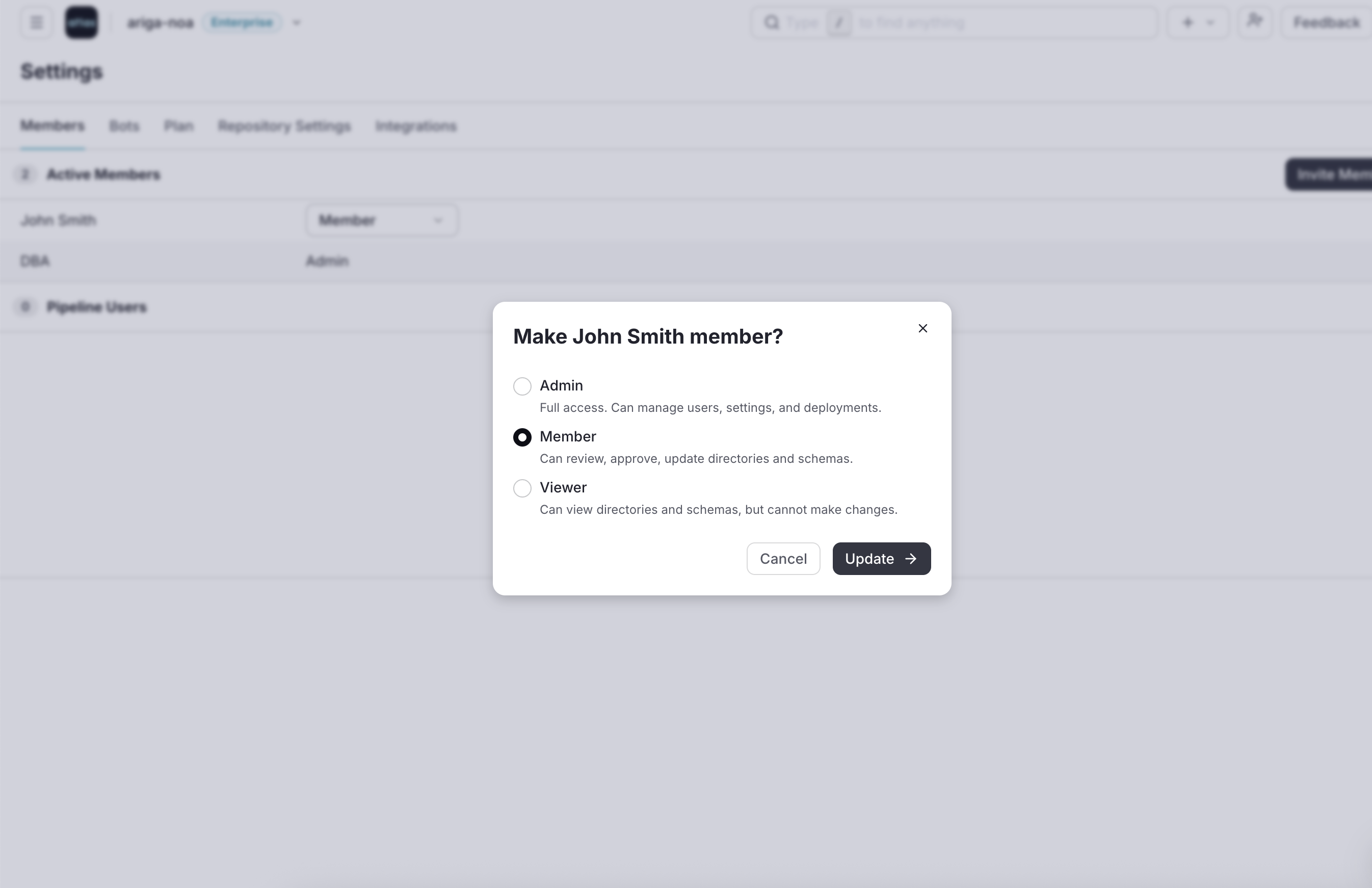
Changes to a member's organization role take effect immediately across all repositories they have access to.
Protected Flows and Repository Roles
In addition to organization-level roles, Atlas Pro supports fine-grained, per-repository permissions using protected flows. Protected flows let an Admin limit who can push changes, push approved plans, or approve existing plans for a specific schema repository or migration directory, by granting them one of two repository roles:
- Reviewer - Can review and approve changes to the repository.
- Writer - Can review and approve changes, and update the schema or repository.
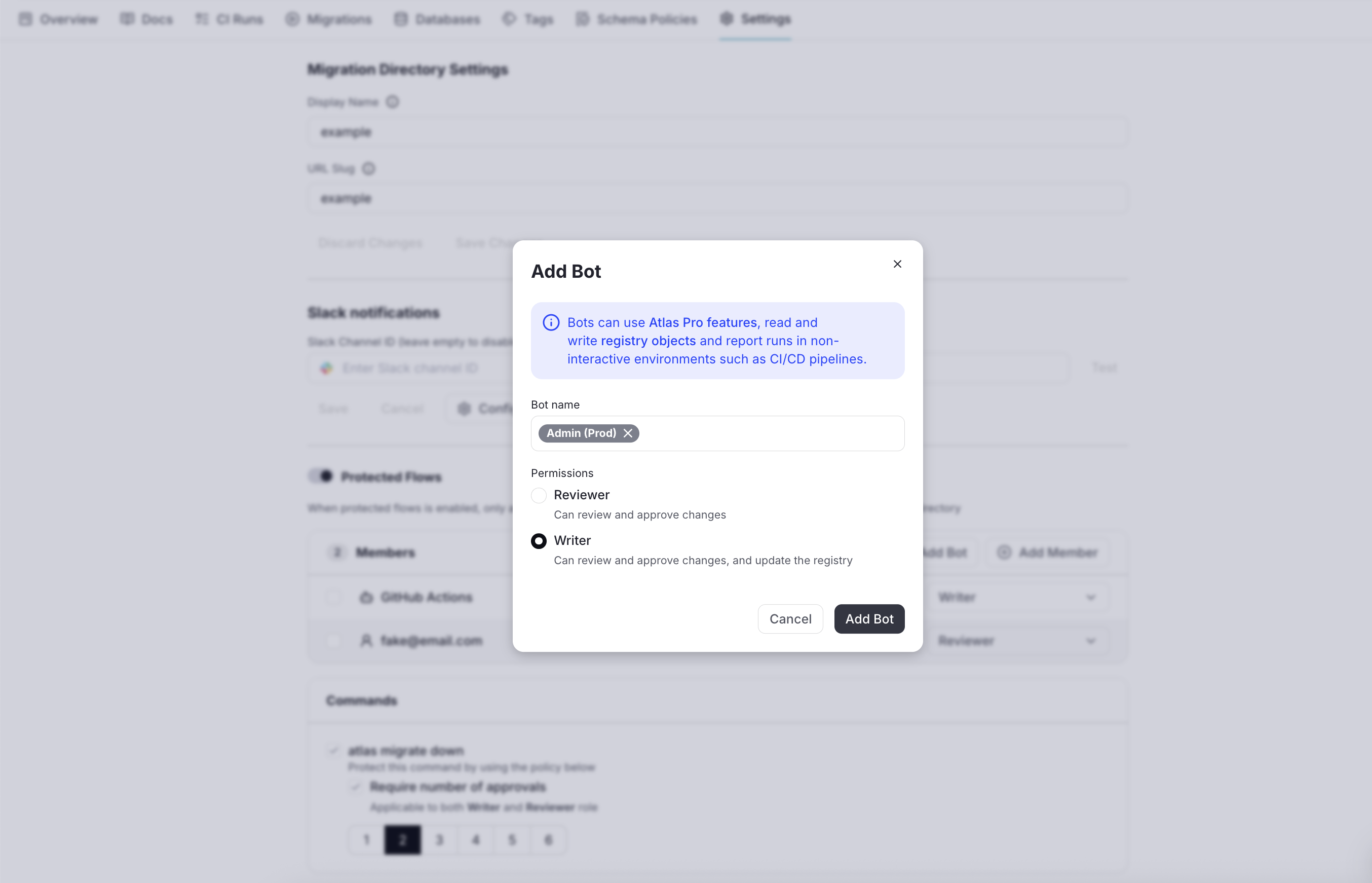
Unlike organization roles, repository roles can be granted to bots as well as human members. For example, giving a CI bot the Writer role on a repository so it can push migrations automatically, while requiring a human Reviewer to approve them first.
Repository roles enable teams to enforce separation of duties. For example, allowing developers to propose changes while requiring a DBA or platform engineer to approve and push them.
When protected flows are disabled for a repository, any organization Member can push and approve changes to it, per their organization role. Once protected flows are enabled, only the members and bots explicitly assigned the Reviewer or Writer role for that repository can push changes, push approved plans, or approve existing plans there.
Enabling Protected Flows for a Repository
To enable protected flows for a schema repository or migration directory:
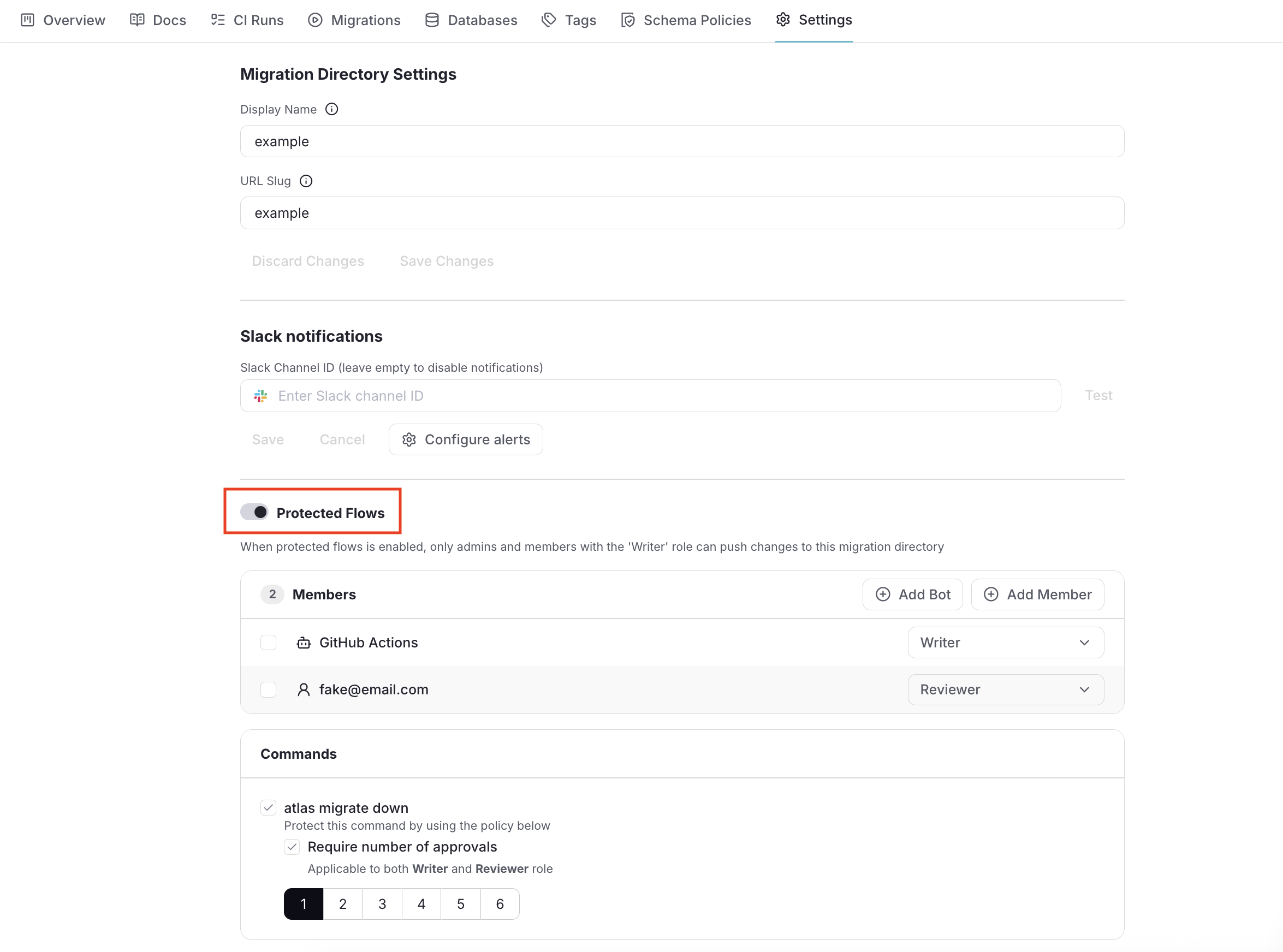
- Go to the repository in the Atlas Registry and open its Settings tab.
- Enable the Protected Flows option.
- Add the members and bots who should be able to interact with this repository, and assign each one the Reviewer or Writer role.
- Save your changes. From now on, only the listed Reviewers and Writers can push, approve, or review changes for this repository.
Defaults for New Projects
Rather than enabling protected flows one repository at a time, Admins can enable protected flows by default for newly created projects, from the organization's general settings:
- Go to ☰ > Settings > Repository Settings.
- Enable Protected Flows by default for new projects.
- Configure the default set of members and bots, and the role (Reviewer or Writer) each of them should hold.
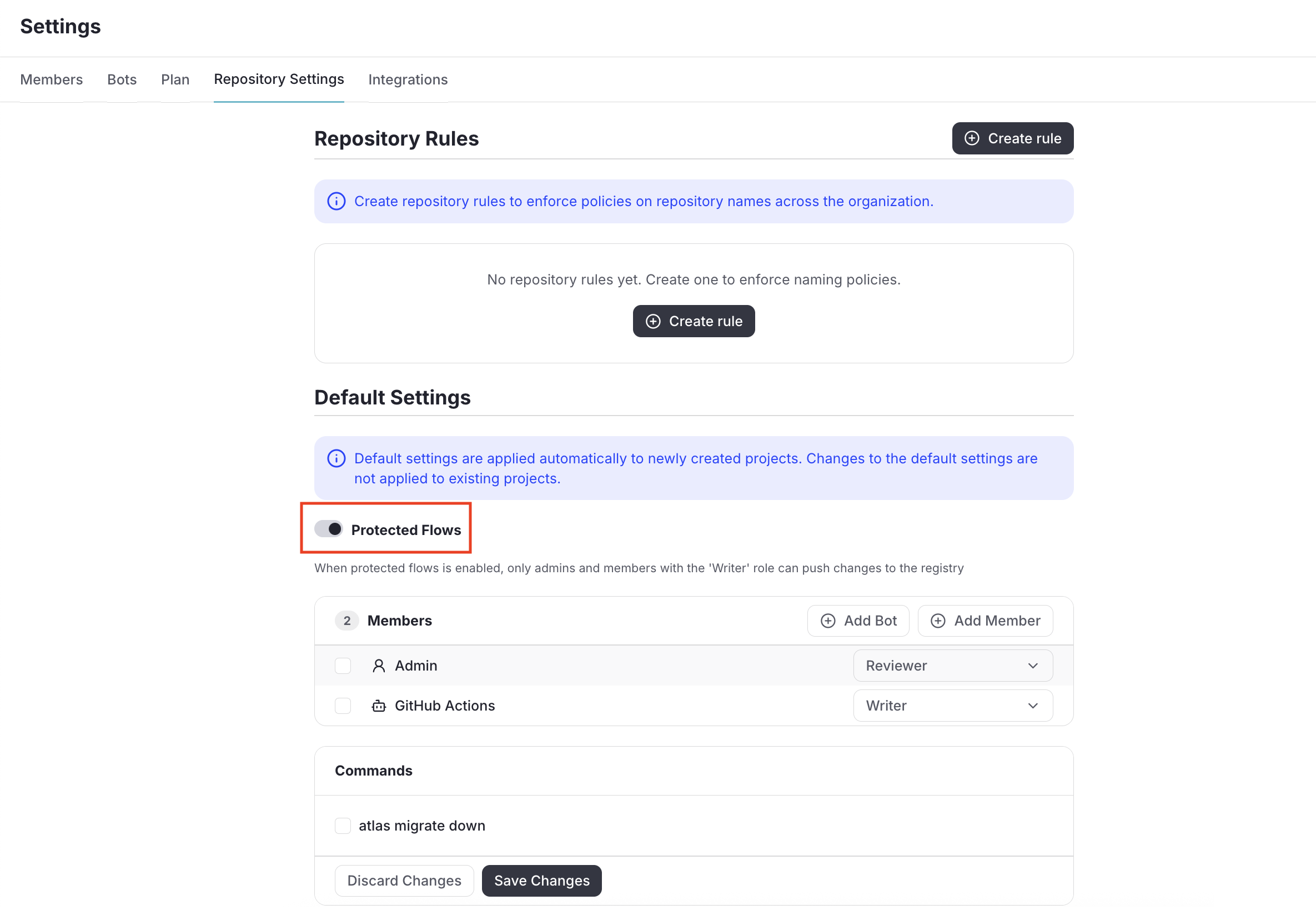
When a new schema repository or migration directory is created afterward, protected flows are enabled automatically with this configured set of users and roles, without requiring extra setup on a per-repository basis.