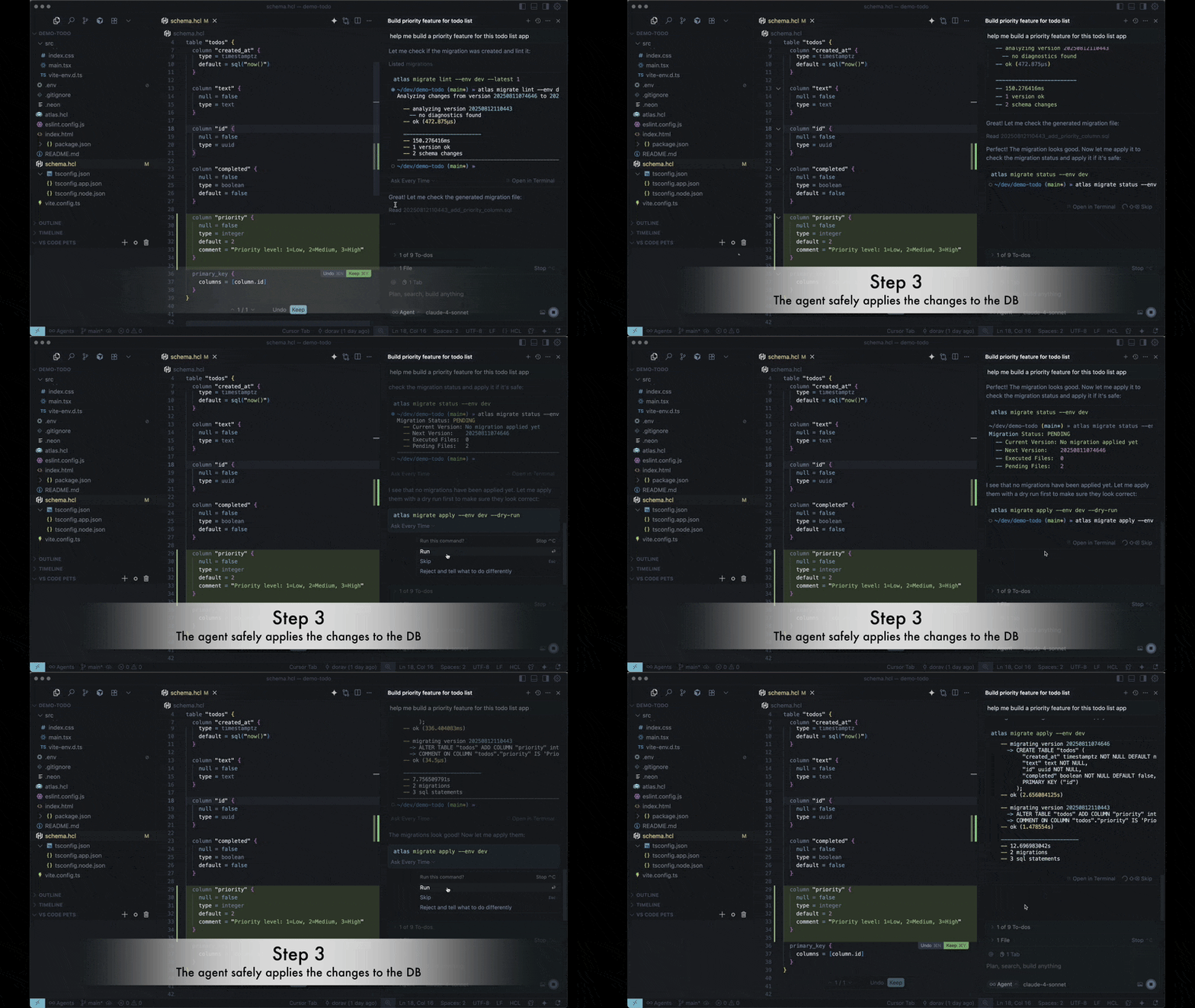
Using Atlas with AI Agents
AI agents are great at writing code, but generating database migrations is a different challenge. As schemas grow, ensuring migrations are deterministic, safe, and policy-compliant becomes critical.
Atlas lets AI agents focus on editing the schema while it handles the infrastructure:
- Migration Generation — correct, safe, and deterministic migrations.
- Migration Linting — semantic validation and best-practice enforcement.
- Policy Enforcement — organizational rules for allowed changes.
- Schema Testing — AI writes logic (functions, views, queries) and tests; Atlas executes and reports failures.
- Data Migration Testing — seed data, run tests, detect errors, and let the AI fix them.
Agent Skills
Agent Skills are an open standard for packaging domain expertise for AI agents. The agent runs the Atlas CLI instead of learning it from scratch. Atlas provides these skills:
atlascovers schema migrations, linting, and testing, Data Scripts for backfills and reports, and Atlas Cloud operations: database status, failed deployments, and what is waiting for deployment.atlas-onboardtakes a project from a first scan to production, one verified stage at a time.- The database skills add what is specific to one database:
atlas-postgres,atlas-mysql(MySQL and MariaDB),atlas-mssql(SQL Server),atlas-clickhouse,atlas-snowflake,atlas-databricks,atlas-lakebase(Databricks Lakebase, withatlas-postgres),atlas-redshift,atlas-oracle, andatlas-spanner. The agent loads the matching one when the project uses that database (Database Skills). atlas-operatorcovers the Atlas Kubernetes Operator: installing it, writing its resources, deploying through GitOps, and troubleshooting (Kubernetes Operator Skill).atlas-actioncovers Atlas in CI/CD pipelines: the steps of the Atlas actions on GitHub Actions and their counterparts on GitLab CI, CircleCI, Bitbucket, and Azure DevOps, the tokens and permissions each needs, and the fix for each failure (CI/CD Skill).
Claude Code installs all of them as a plugin. Other agents install them with npx skills:
# Claude Code
claude plugin marketplace add ariga/atlas
claude plugin install atlas@ariga

# Codex, Cursor, GitHub Copilot, and other agents
npx skills add ariga/atlas
To help agents produce better results, provide structured schema context. See the Database Schema as Context guide for how to organize schema files and the benchmark showing 10/10 query accuracy with the right structure.
A machine-readable docs index with usage terms is available at atlasgo.io/llms.txt.
 Agent Skills
Install the Atlas skills for Claude Code, Codex, Cursor, and Copilot: migrations, Data Scripts, Atlas Cloud status, and guided onboarding.
 Database Schema as Context
Organize schema files for maximum AI agent accuracy.
Setup Instructions
Configure your AI agent to work with Atlas using project-level instruction files:
 GitHub Copilot
Configure GitHub Copilot with Atlas-specific instructions.
 Cursor
Set up Cursor with Atlas-specific rules.
 Claude Code
Set up Claude Code with Atlas-specific instructions.
 OpenAI Codex
Set up OpenAI Codex with Atlas-specific instructions.
Example Workflow
The instructions above teach the AI agent to follow this workflow when generating migrations:
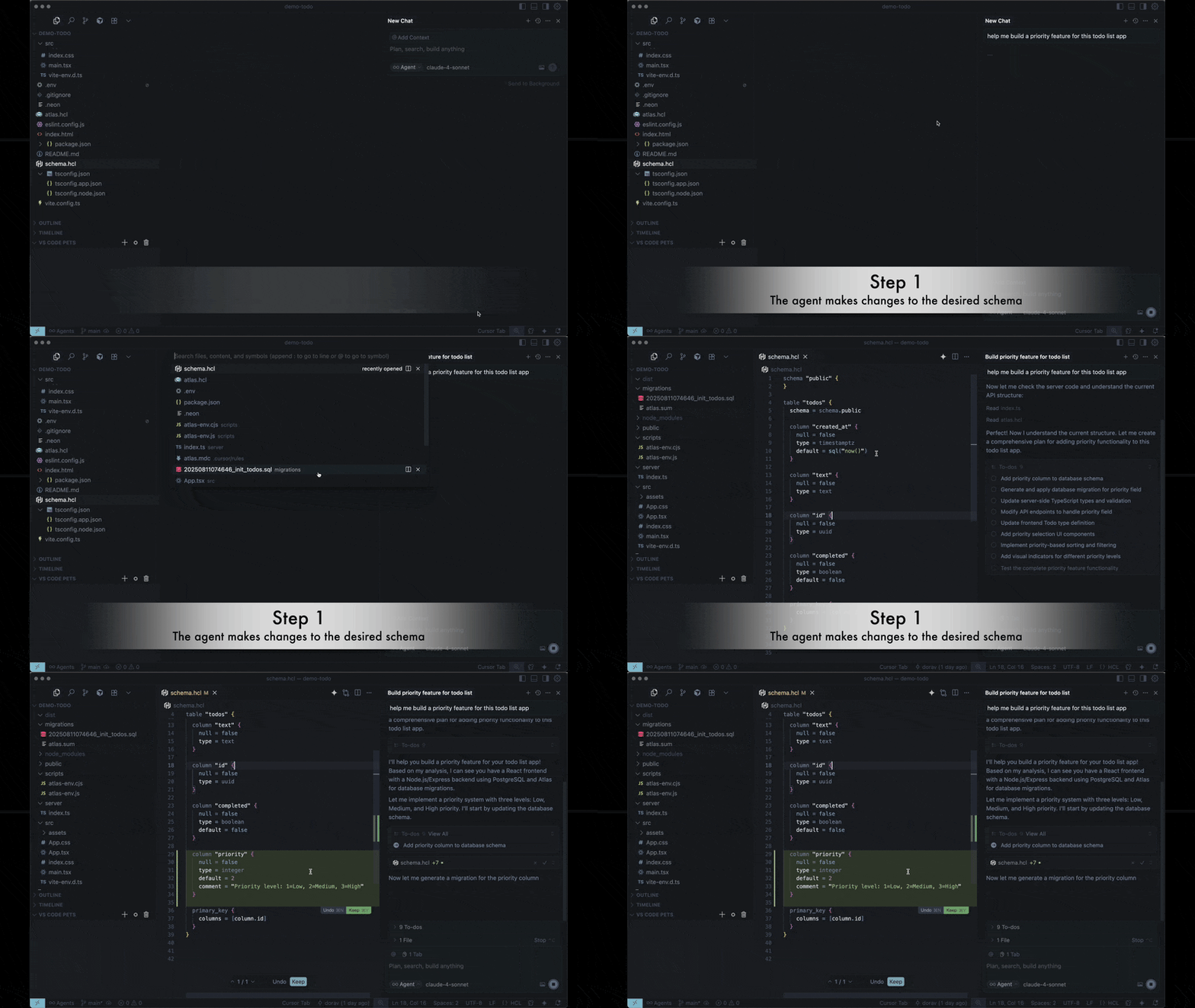
1. Edit the schema
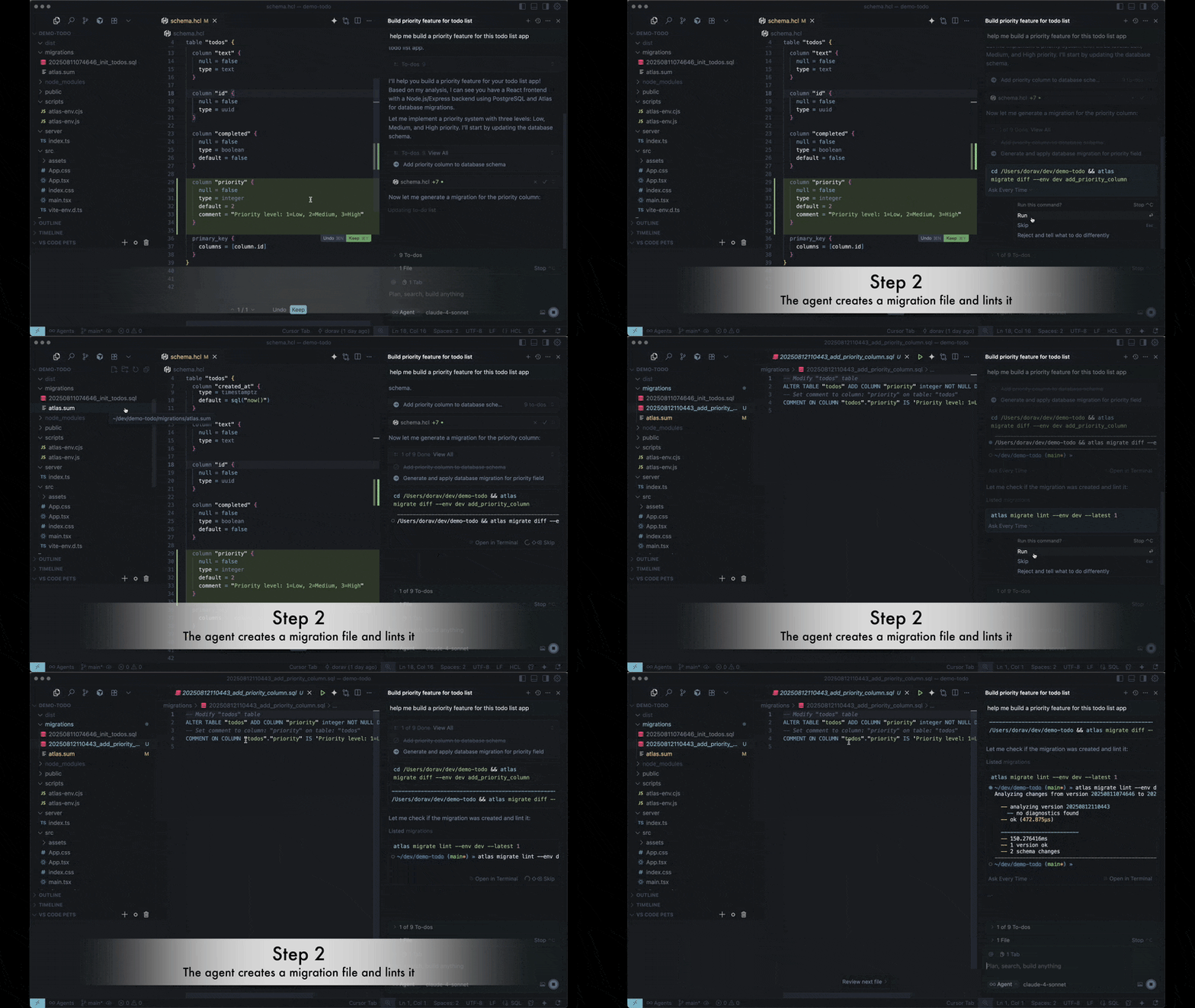
2. Generate and validate migrations
The agent runs atlas migrate diff to generate the migration, then atlas migrate lint to validate it.
3. Apply the migration
The agent applies with atlas migrate apply, starting with a dry-run.