Atlas Cloud now traces column-level data lineage across tables, views, and datasets. Select any column to see where its data comes from, which transformation expressions shape it, and what downstream objects depend on it.
The lineage graph lets you visually trace how columns are derived from upstream sources through transformation expressions. Lineage is supported for PostgreSQL, MySQL, ClickHouse, CockroachDB, and Snowflake.
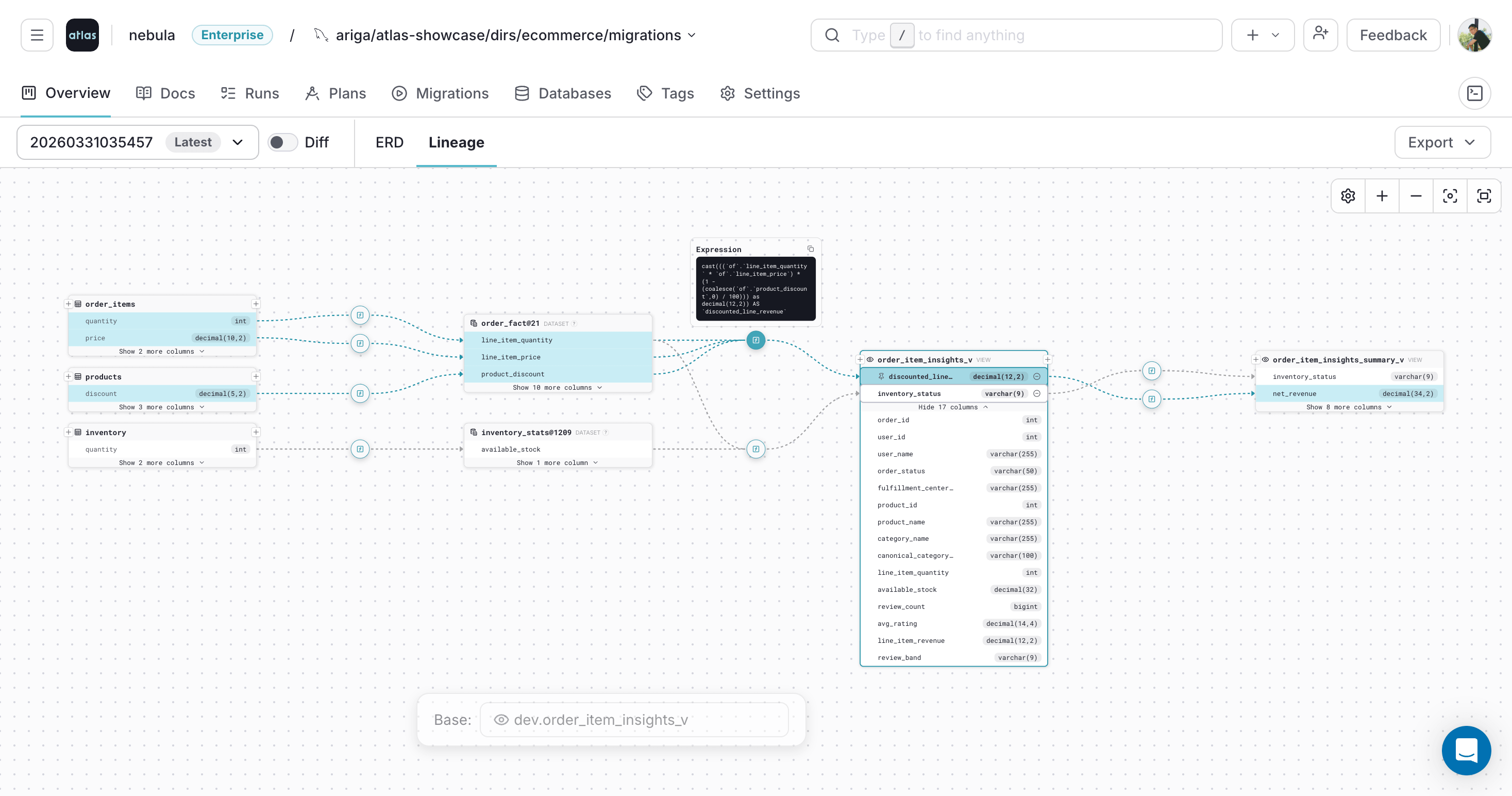
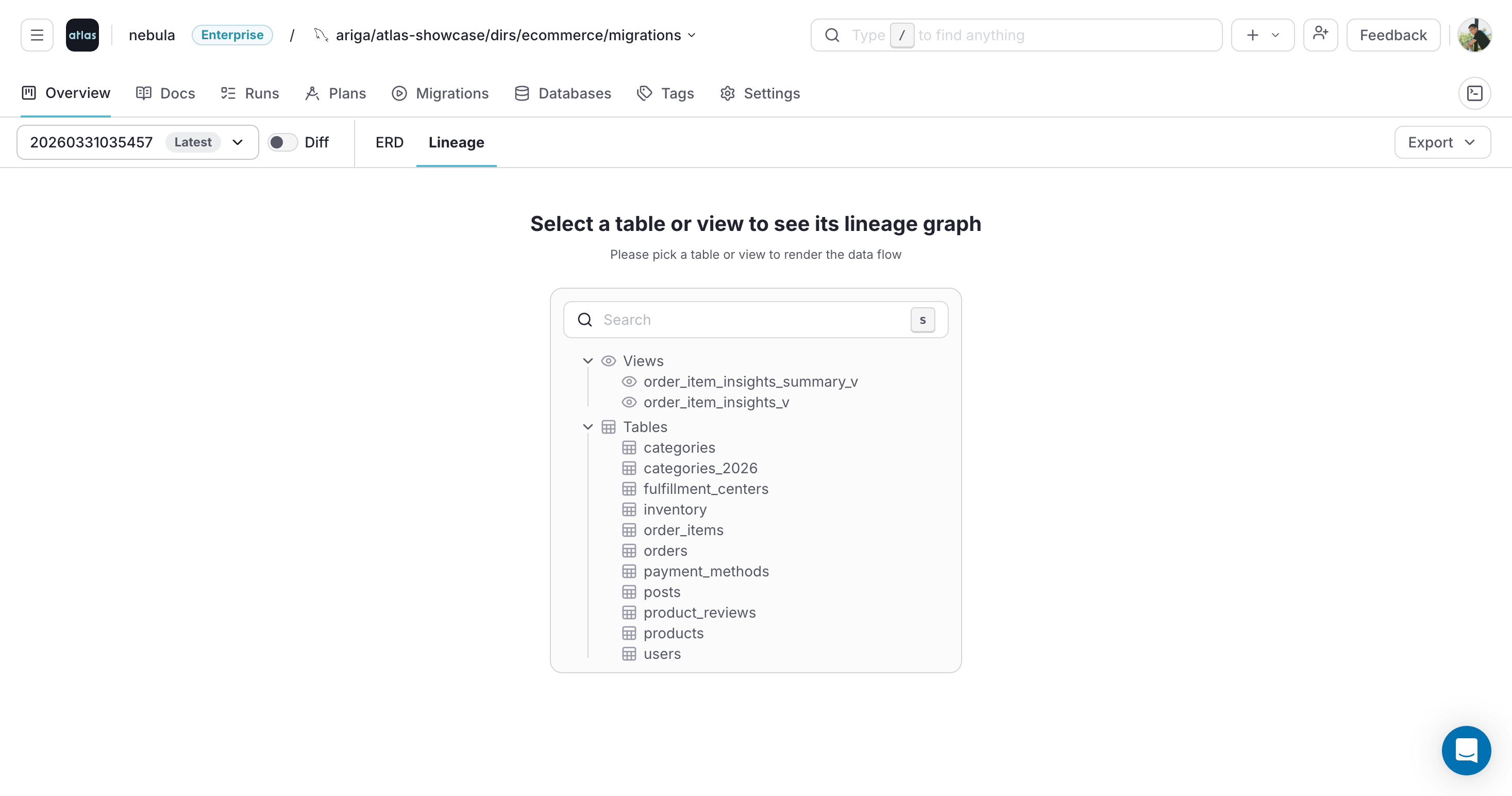
Open the Lineage Graph
In the project overview, click the Lineage tab and select a table or view. You can also open the lineage graph from the ERD and Docs views.
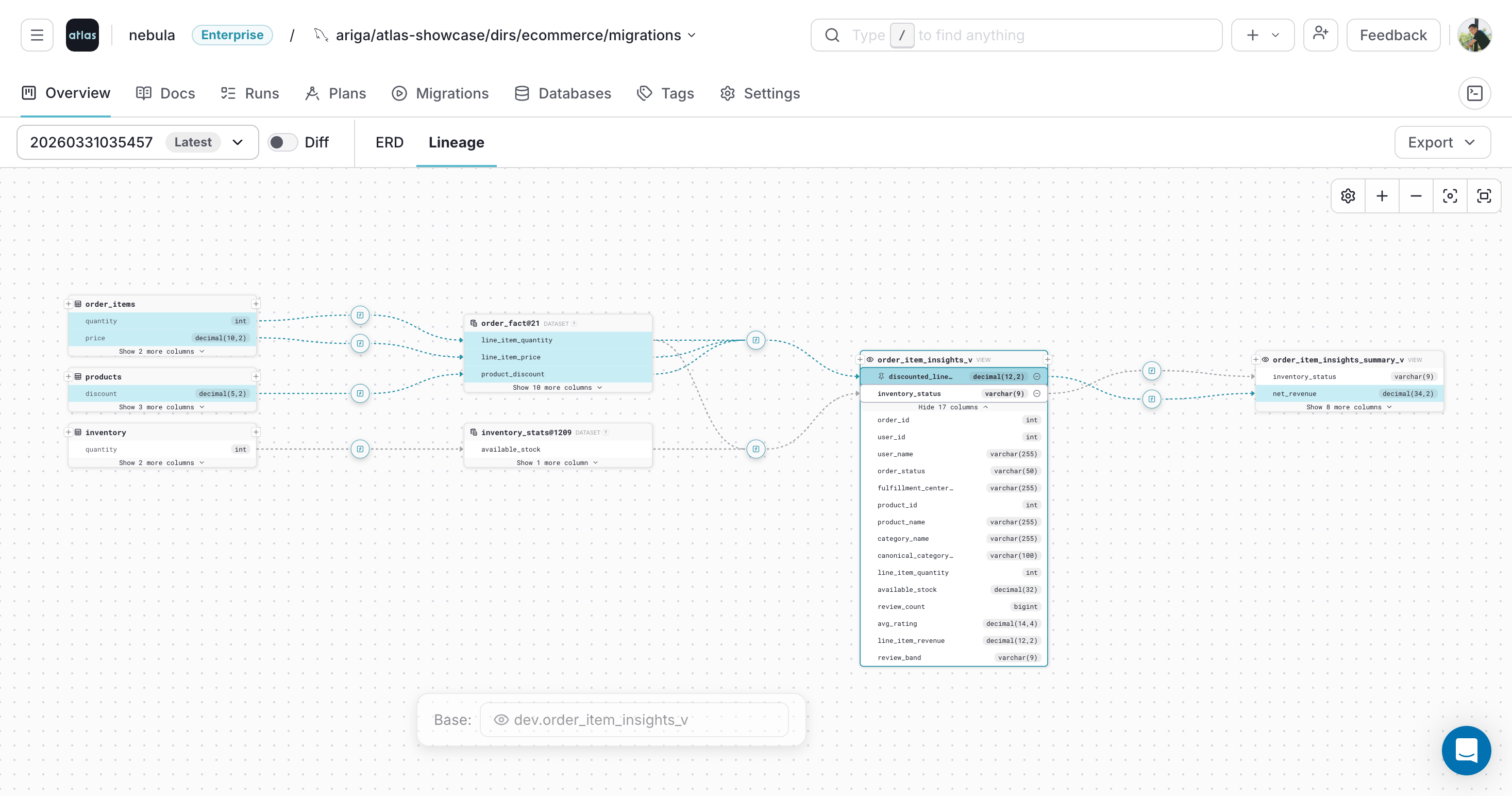
Select and Pin Columns
Click a column to inspect its lineage. Select multiple columns to see their lineage together. Click a selected column again to pin it and highlight its full lineage path.
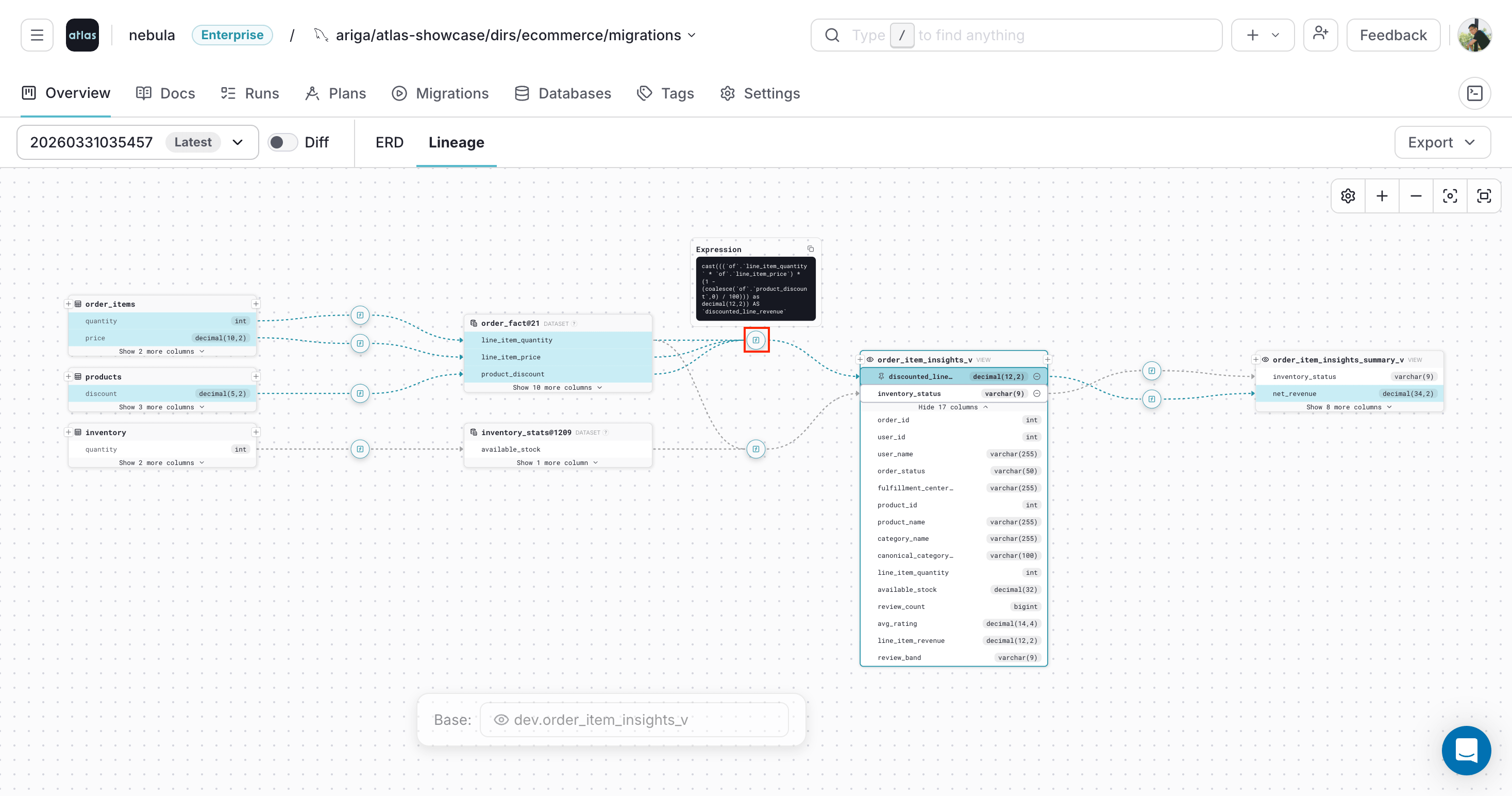
Inspect Transformation Expressions
Atlas marks transformation steps on the lineage path with [f]. Hover to preview the expression, or click to keep it visible while you continue exploring. This is useful for understanding how derived columns like revenue calculations or status aggregations are built from source fields.
To learn more, see the Column-Level Data Lineage documentation.