Scripts pushed with atlas script push now have a page in Atlas Cloud: browse every script in the repository, read its source and execution graph, and run it from anywhere by name with an atlas:// URL.
Atlas Scripts run data operations against your database as declarative code: backfills, purges, reports, and batched loops.
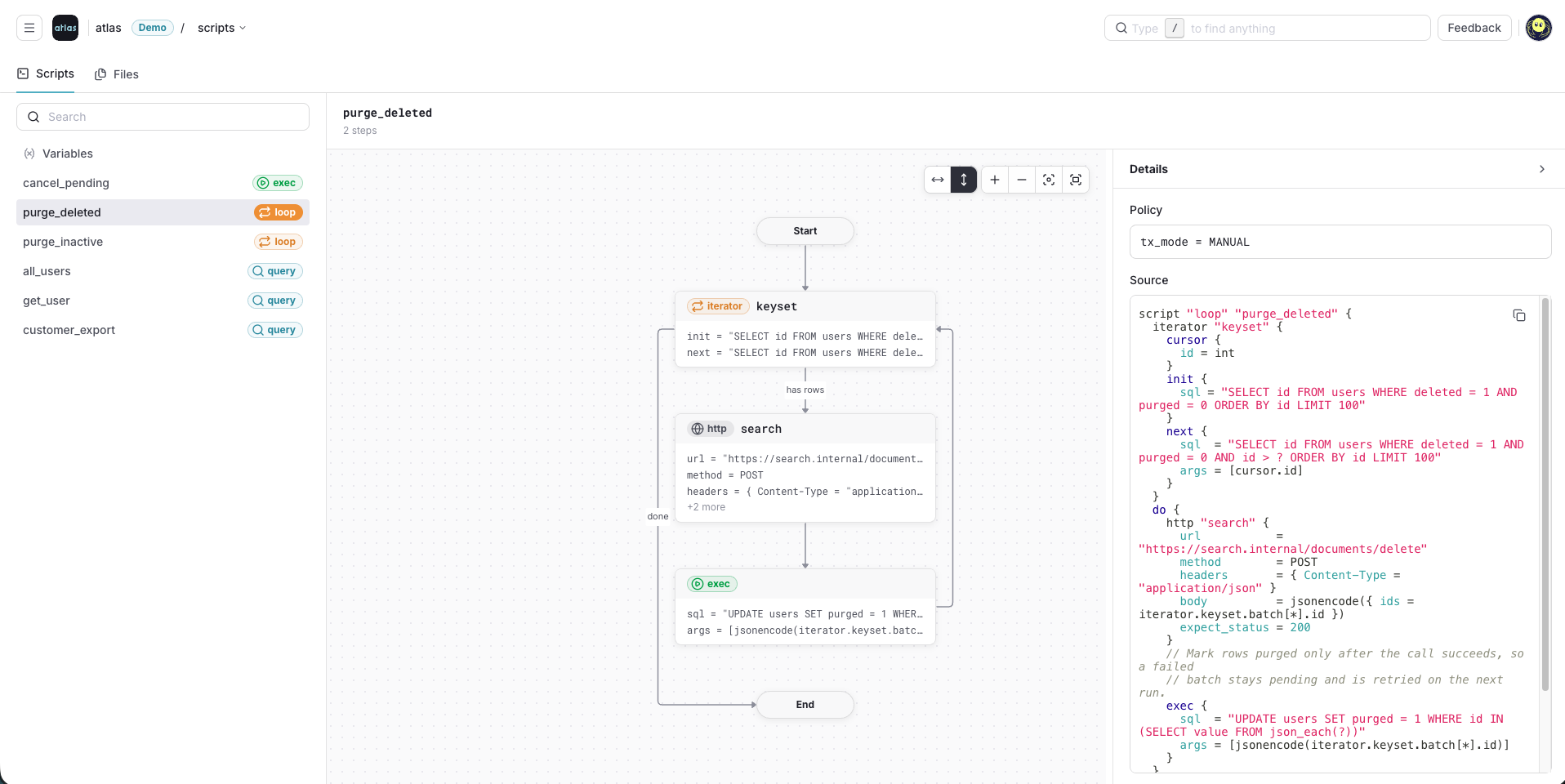
Pushed scripts now have a page in Atlas Cloud. Every script in the repository is listed with its kind, and selecting one shows what it will do before you run it: the steps it executes, the policy it runs under, and the exact source that was pushed.
Pushing a Script Source
atlas script push uploads a script source to the registry:
atlas script push --env prod my-scripts
Point env.script.repo.name at the repository to push without naming it on the command line:
env "prod" {script {src = "file://scripts"repo {name = "my-scripts"}}}
Reading a Script Before You Run It
For every script in the pushed source, the page shows:
- Its kind and description
- A flow chart of the steps it runs
- The policy it runs under, and its full HCL source
- The variables it accepts
Running It From Anywhere
A pushed script is addressed by name with the atlas:// scheme, so the machine running it does not need a checkout of the repository — only a token and a database URL:
atlas script query --url "$URL" --file "atlas://my-scripts" --run '^all_users$'atlas script exec --url "$URL" --file "atlas://my-scripts" --run '^cancel_pending$'atlas script loop --url "$URL" --file "atlas://my-scripts" --run '^purge_deleted$'
New to Atlas Scripts? Start with Getting Started with Atlas Scripts.