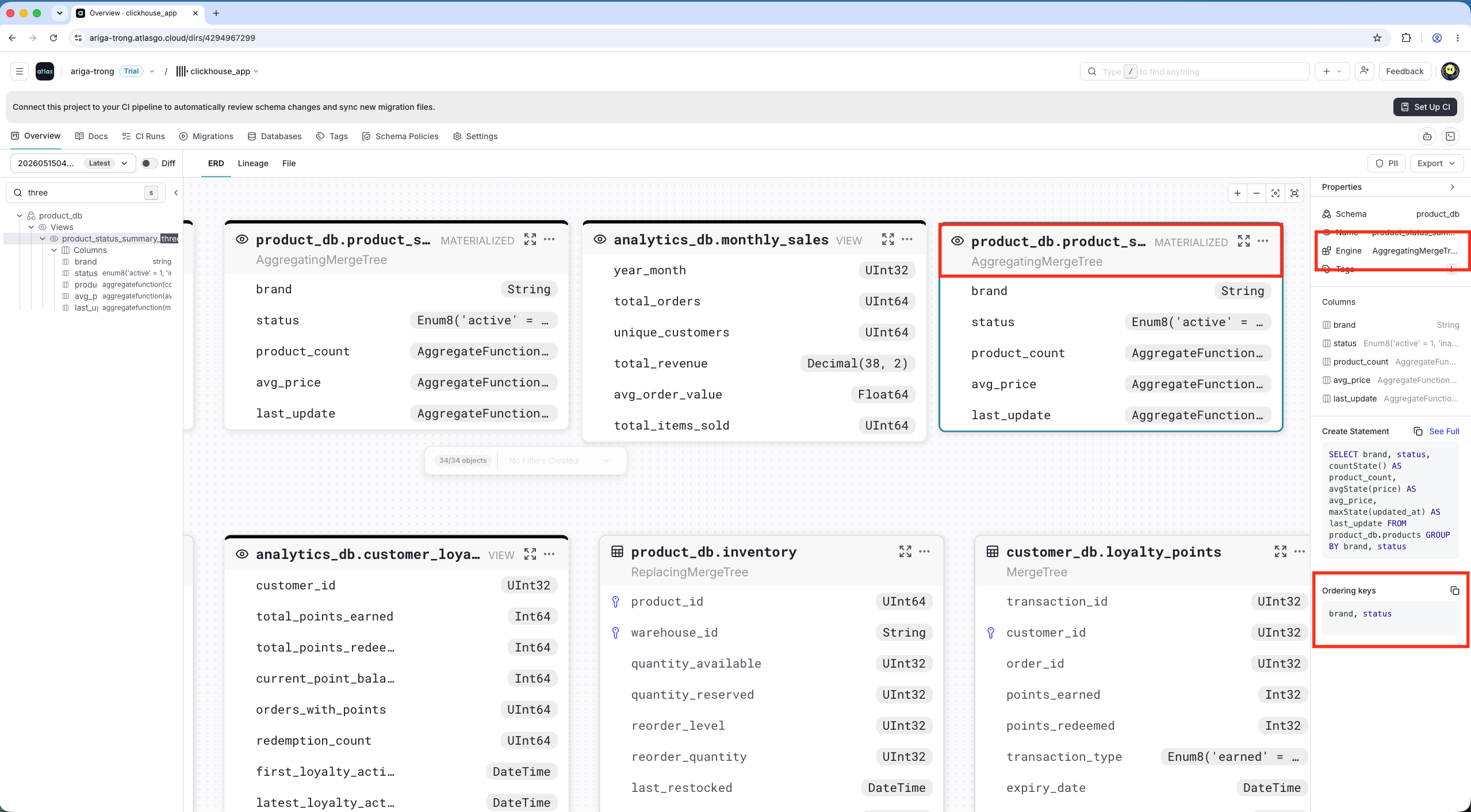
Atlas now displays ClickHouse-specific metadata on ERD and Lineage graphs: tables show their engine and projections, and materialized views show their engine and ordering keys.
ERD and Lineage graphs in Atlas Cloud now surface ClickHouse-specific metadata inline. Tables display their engine and projections. Materialized views display their engine and ordering keys. This gives teams immediate visibility into storage and query-optimization details without leaving the schema view.
Tables: Engine & Projections
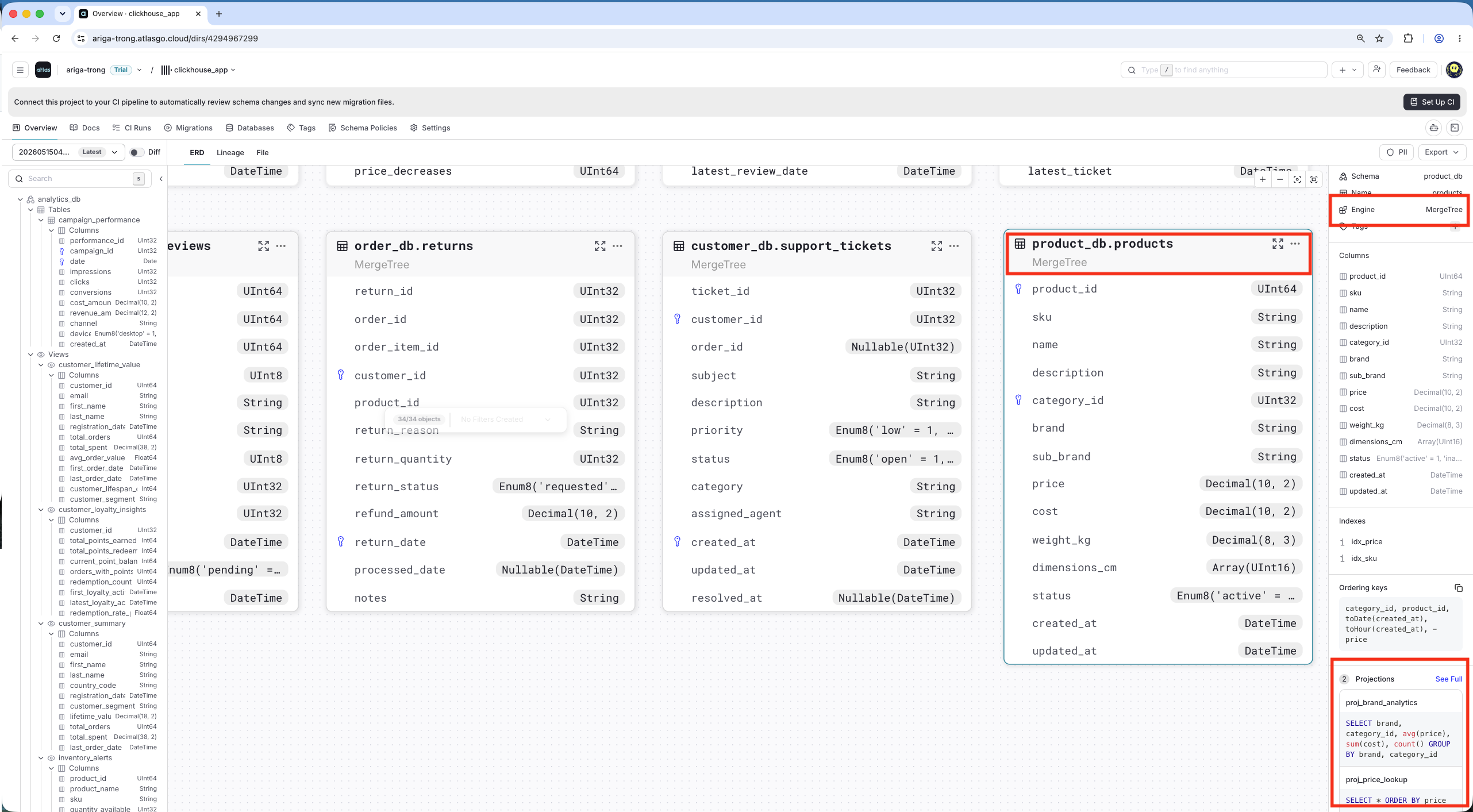
Tables now show the ClickHouse engine (e.g. MergeTree) and list any projections defined on the table. Given a table like:
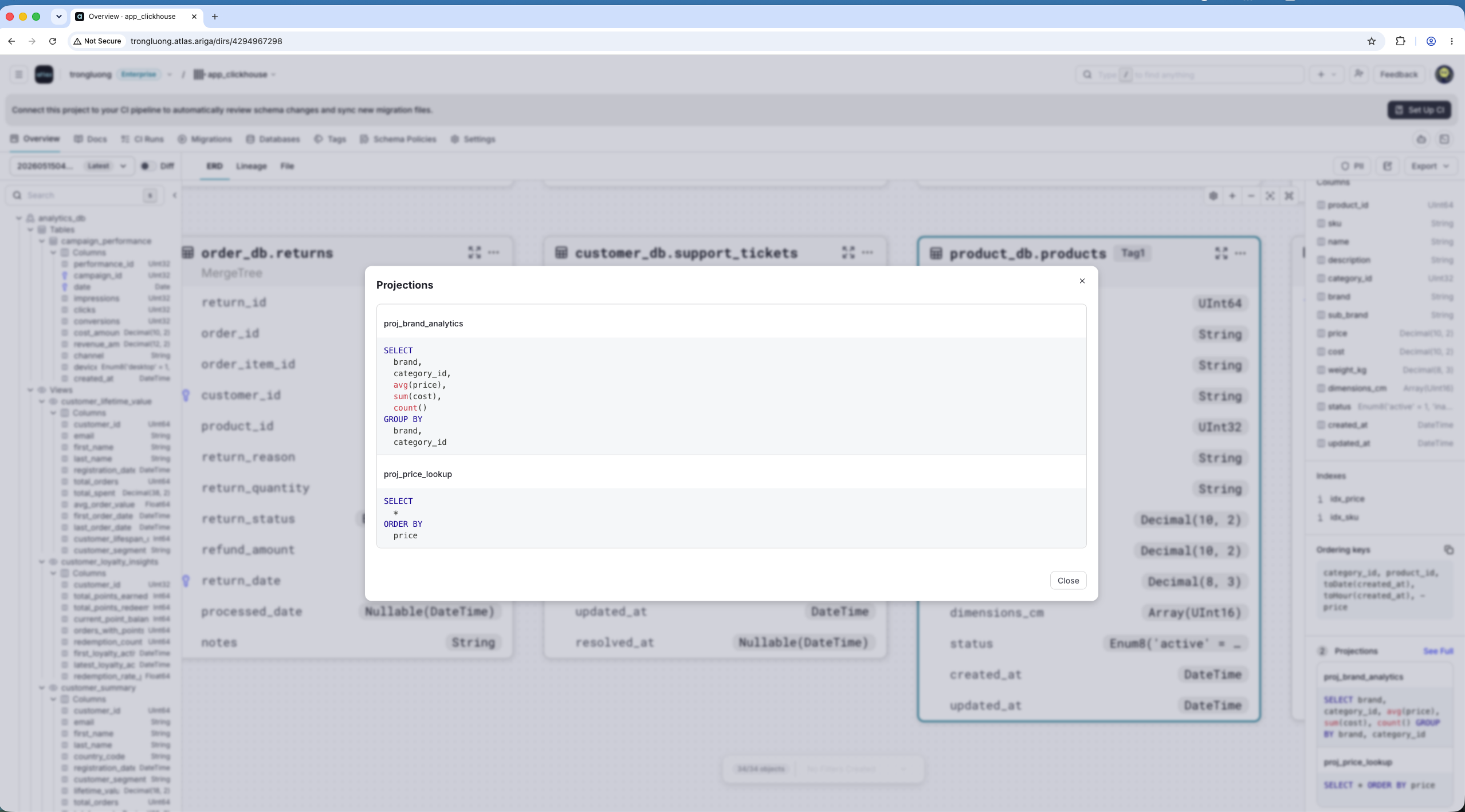
CREATE TABLE `product_db`.`products` (`product_id` UInt64,`sku` String,`name` String,`description` String,`category_id` UInt32,`brand` String,`sub_brand` String,`price` Decimal(10, 2),`cost` Decimal(10, 2),`weight_kg` Decimal(8, 3),`dimensions_cm` Array(UInt16),`status` Enum8('active' = 1, 'inactive' = 2, 'discontinued' = 3),`created_at` DateTime,`updated_at` DateTime,INDEX `idx_price` ((price)) TYPE minmax GRANULARITY 4,INDEX `idx_sku` ((sku)) TYPE bloom_filter(),PROJECTION `proj_brand_analytics` (SELECT brand, category_id, avg(price), sum(cost), count() GROUP BY brand, category_id),PROJECTION `proj_price_lookup` (SELECT * ORDER BY price)) ENGINE = MergeTree
When pushed to Atlas Cloud, its engine and projections are displayed:
Expand the projections section to see each projection's definition at a glance:
Materialized Views: Engine & Ordering Keys
Materialized views display their engine (e.g. AggregatingMergeTree) and ORDER BY keys, making it easy to understand the storage layout and query patterns.
Given a view like:
CREATE MATERIALIZED VIEW `product_db`.`product_status_summary` (`brand` String,`status` Enum8('active' = 1, 'inactive' = 2, 'discontinued' = 3),`product_count` AggregateFunction(count),`avg_price` AggregateFunction(avg, Decimal(10, 2)),`last_update` AggregateFunction(max, DateTime)) ENGINE = AggregatingMergeTreeORDER BY (`brand`, `status`) ASSELECT brand, status,countState() AS product_count,avgState(price) AS avg_price,maxState(updated_at) AS last_updateFROM product_db.productsGROUP BY brand, status